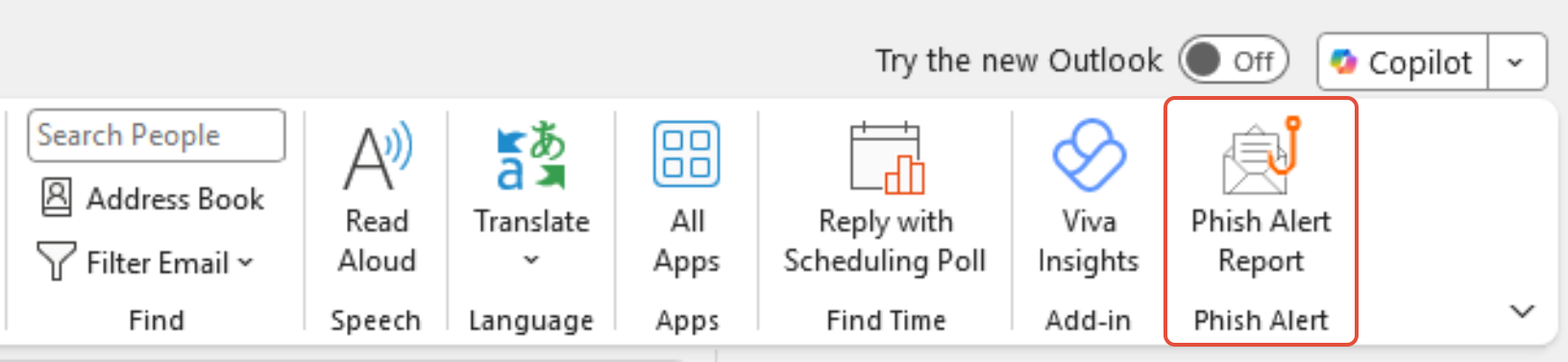
How to Report a Phishing Email Using the PhishRIP Button in Microsoft Office
If you receive a suspicious email, report it immediately using the PhishRIP button in Outlook. This helps IT remove the message from other inboxes and protect the organization.
Steps to Report a Phishing Email
Do NOT click any links or open attachments in the email.
Open the suspicious email in Outlook (desktop or web).
Locate the PhishRIP button in the Outlook toolbar.
Click PhishRIP.
When prompted, confirm that you want to report the message as phishing.
The email will be automatically sent to IT and removed from your inbox.
What Happens Next
IT reviews the reported message.
If confirmed as phishing, the email is removed from other users’ inboxes.
No further action is required from you unless IT contacts you.
If the PhishRIP Button Is Missing
Do not forward the email.
Contact IT Support through the Helpdesk for assistance.