This article describes how to access your SBCOE O365 email through the web from a browser
- Open a web browser and navigate to http://outlook.office365.com
- Enter your login (e.g. msafford@sbcoe.) and password and select login.
- Select the checkmark to "keep me logged in" if you do not wish to type your password every time
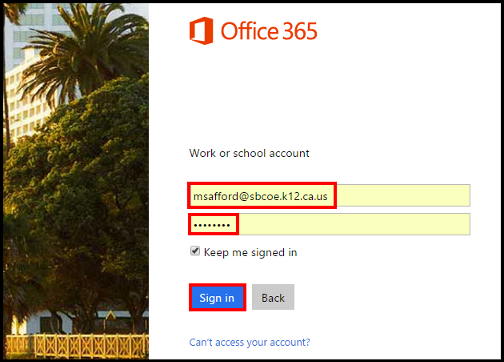
- Select the checkmark to "keep me logged in" if you do not wish to type your password every time
- Your Office 365 email inbox will now be displayed.
- For more detailed information on using the new Outlook web app consult the guide here: https://support.office.com/en-us/article/Getting-started-in-Outlook-Web-App-0062c7be-f8e3-486e-8b14-5c1f793ceefd
- For more detailed information on using the new Outlook web app consult the guide here: https://support.office.com/en-us/article/Getting-started-in-Outlook-Web-App-0062c7be-f8e3-486e-8b14-5c1f793ceefd
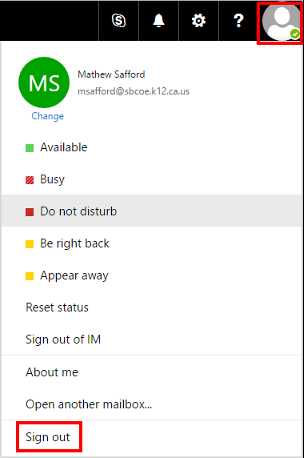
- When you wish to logout select the icon on the top right corner and select the option to "Sign out."